
Product tour
See the app before it touches your server
These privacy-safe product captures show the installer, server manager, recovery workflow, and advanced operations. Open any screenshot full size to read every detail.
Free is the complete manual server manager. Pro labels identify optional automation inside a screen, not a hidden charge for the entire screen. Privacy note: every image contains only the application window. The Windows account name, install paths, IP addresses, ports, and join details were replaced or hidden before the website files were created.
Part 1
Getting started
Choose from 11 supported games, enter the basics, review the plan, and keep every server in one manager.
Screen 01
Included in FreeChoose from 11 games
The installer presents every supported provider in one artwork-led catalog.
Guided game selection and installation are included in Free.
Included in Free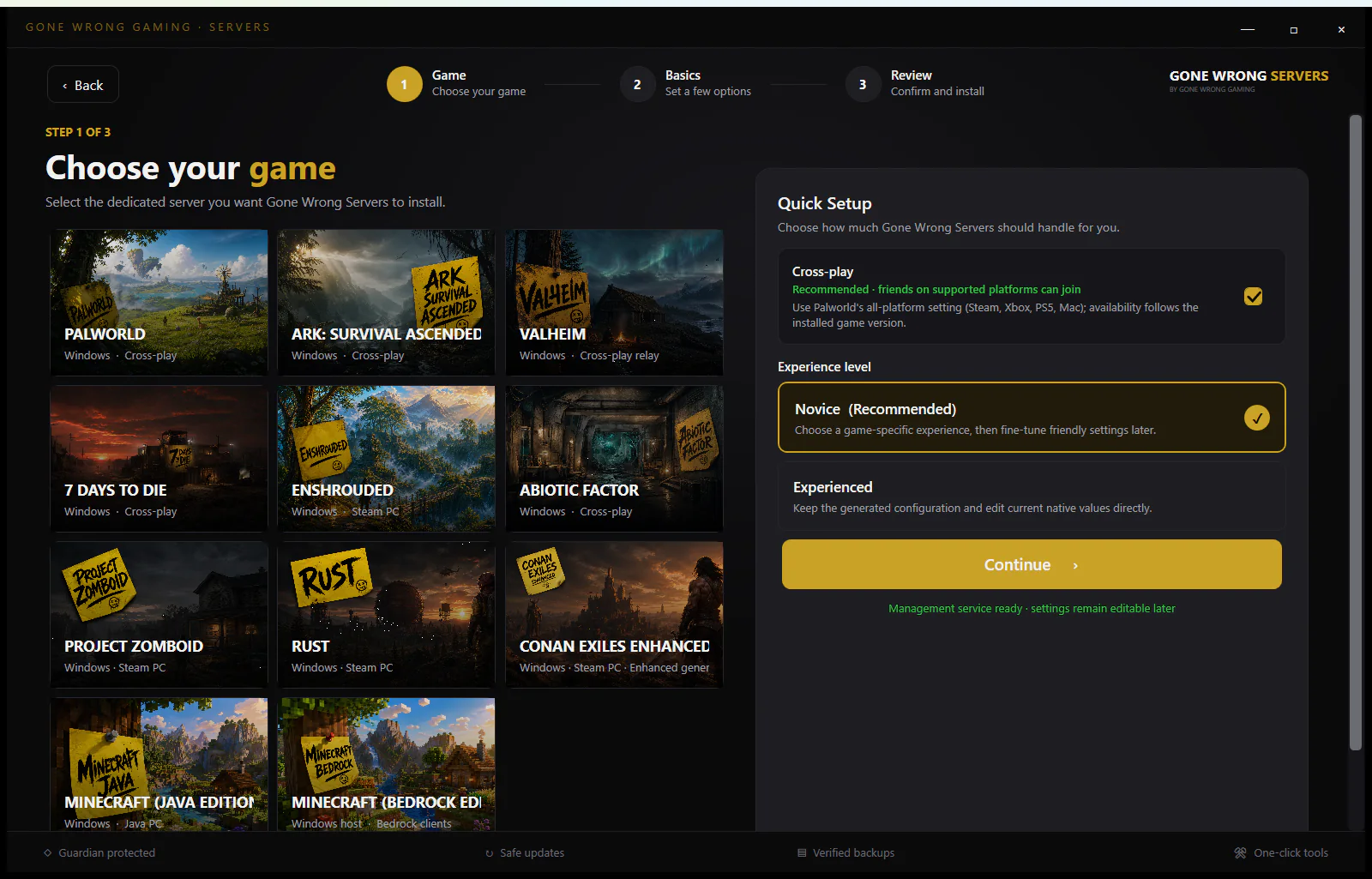 Open full size
Screen 02
Included in FreeSet the server basics
Name the server, choose a gameplay profile, set capacity, and let the app choose a safe Steam library.
Server basics and gameplay experiences are included in Free.
Included in Free Open full size
Screen 03
Included in FreeReview before install
Confirm the game, profile, network mode, and install plan before any download begins.
Reviewing and installing a supported server are included in Free.
Included in Free Open full size
Screen 04
Free core + Pro automationManage every server
Installed and imported servers stay together, with clear selection and lifecycle controls.
Managing one server is included in Free. Concurrent multi-server hosting is Pro automation.
Free core + Pro automation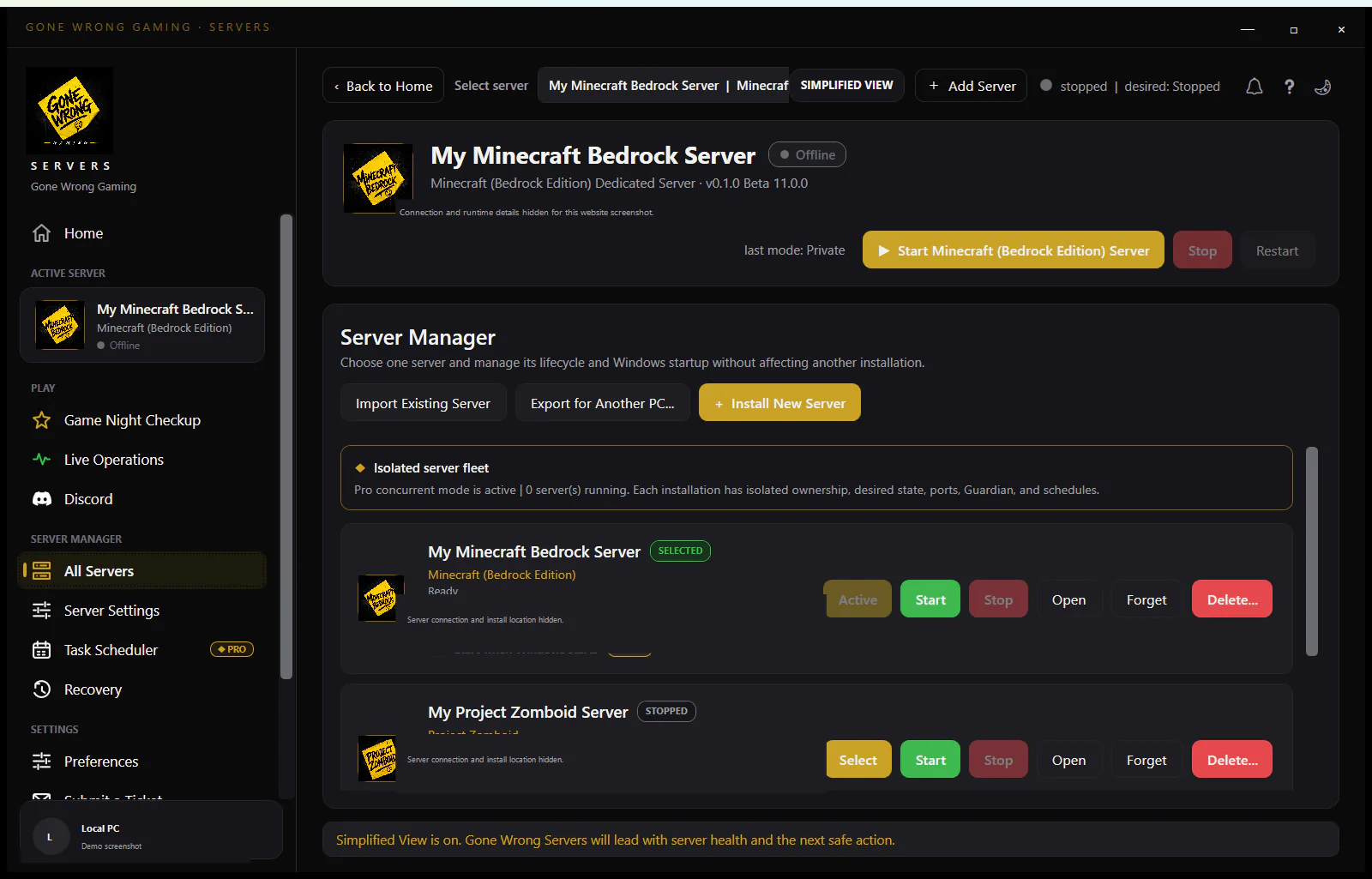 Open full size
Part 2
Simple everyday management
The calm starting view keeps installation, settings, safety, connections, and updates readable.
Screen 01
Included in FreeA clear starting point
Install a new server, open an existing one, or jump straight into the current server manager.
The home screen and manual server entry points are included in Free.
Included in Free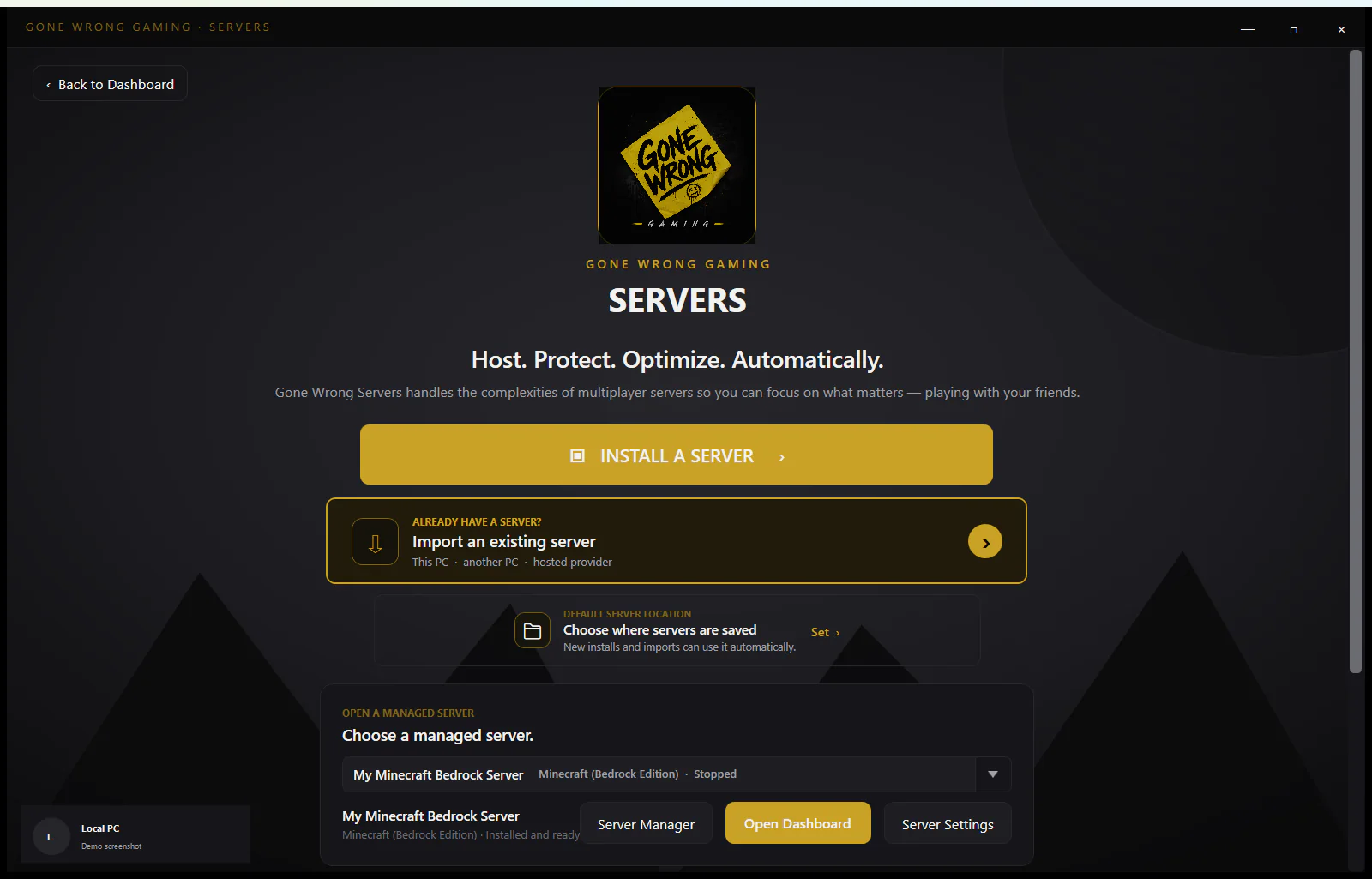 Open full size
Screen 02
Free core + Pro automationRecovery and rollback
See native saves, create recovery points, and restore a world without hunting through folders.
Manual backups and recovery are included in Free. Automated recovery points and Guardian recovery are Pro.
Free core + Pro automation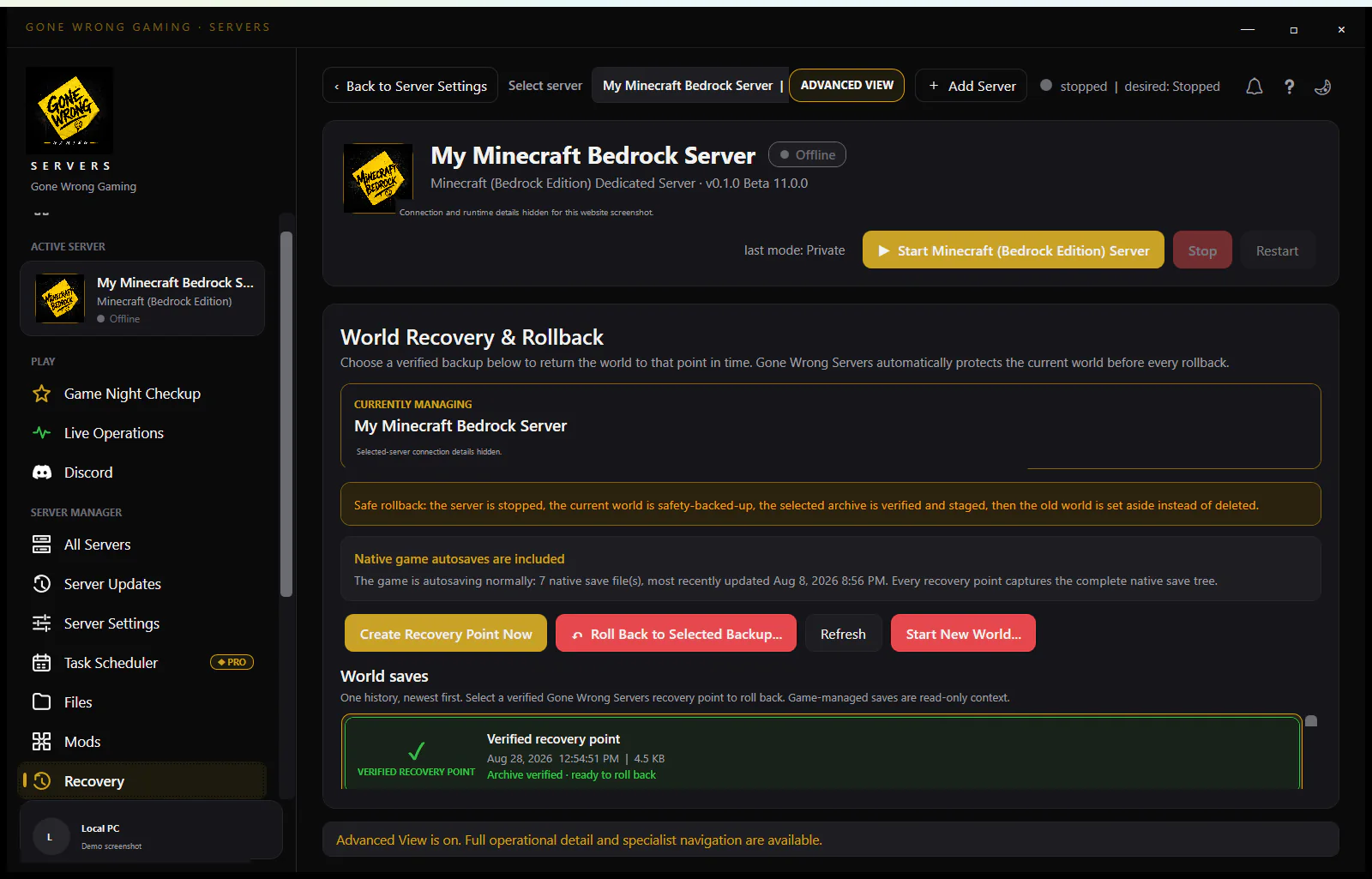 Open full size
Screen 03
Included in FreeFriendly server settings
Start with verified, game-aware controls and reveal deeper settings only when needed.
Gameplay profiles and supported native server settings are included in Free.
Included in Free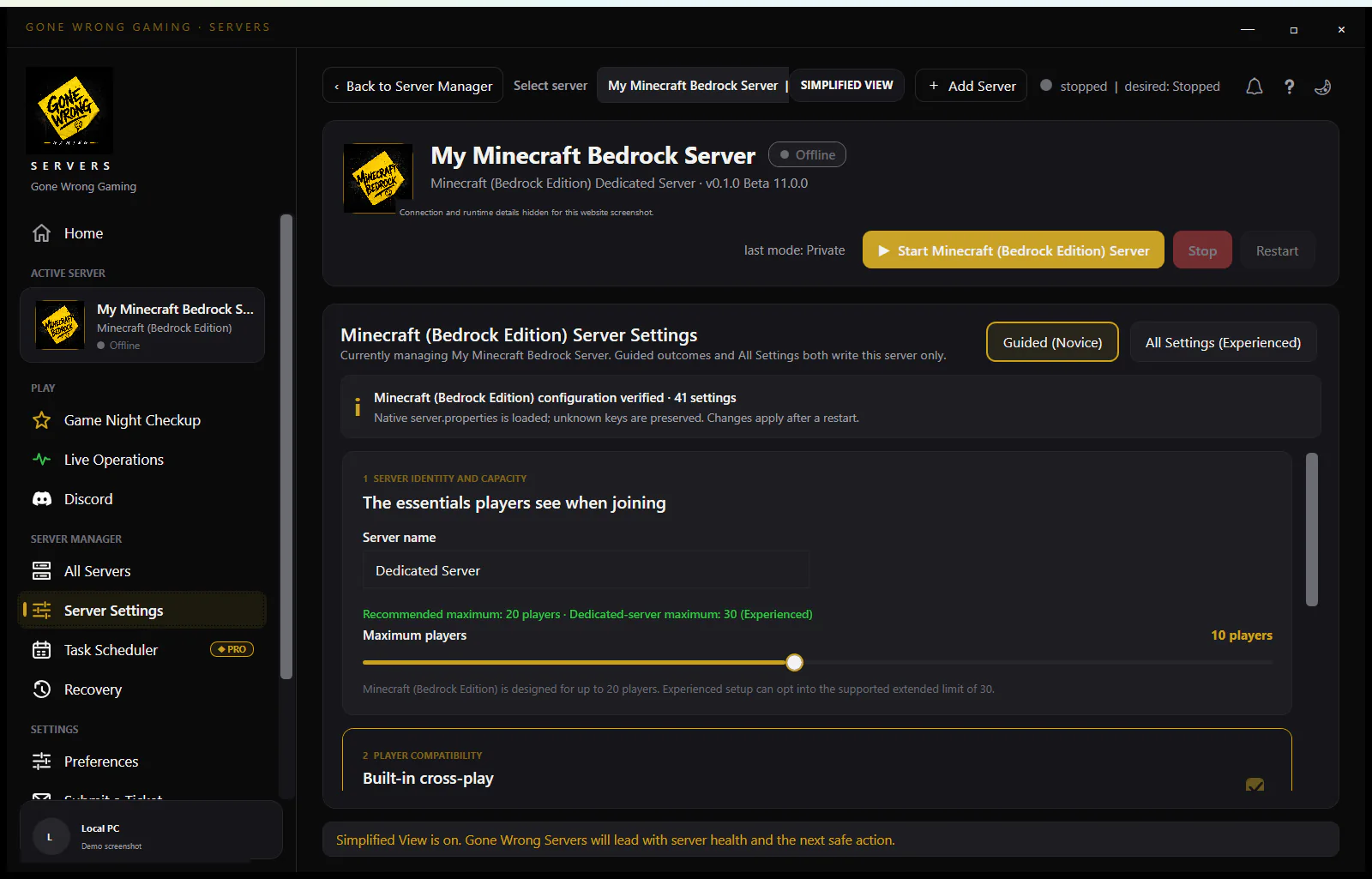 Open full size
Screen 04
Included in FreeSystem preparedness
Compare the PC with supported workloads before adding another world or inviting a larger group.
PC readiness and capacity guidance are included in Free.
Included in Free Open full size
Screen 05
Included in FreeConnection Setup
Work through listeners, Windows Firewall, router mapping, and player-join verification in one checklist.
Firewall help, router guidance, and connection checks are included in Free.
Included in Free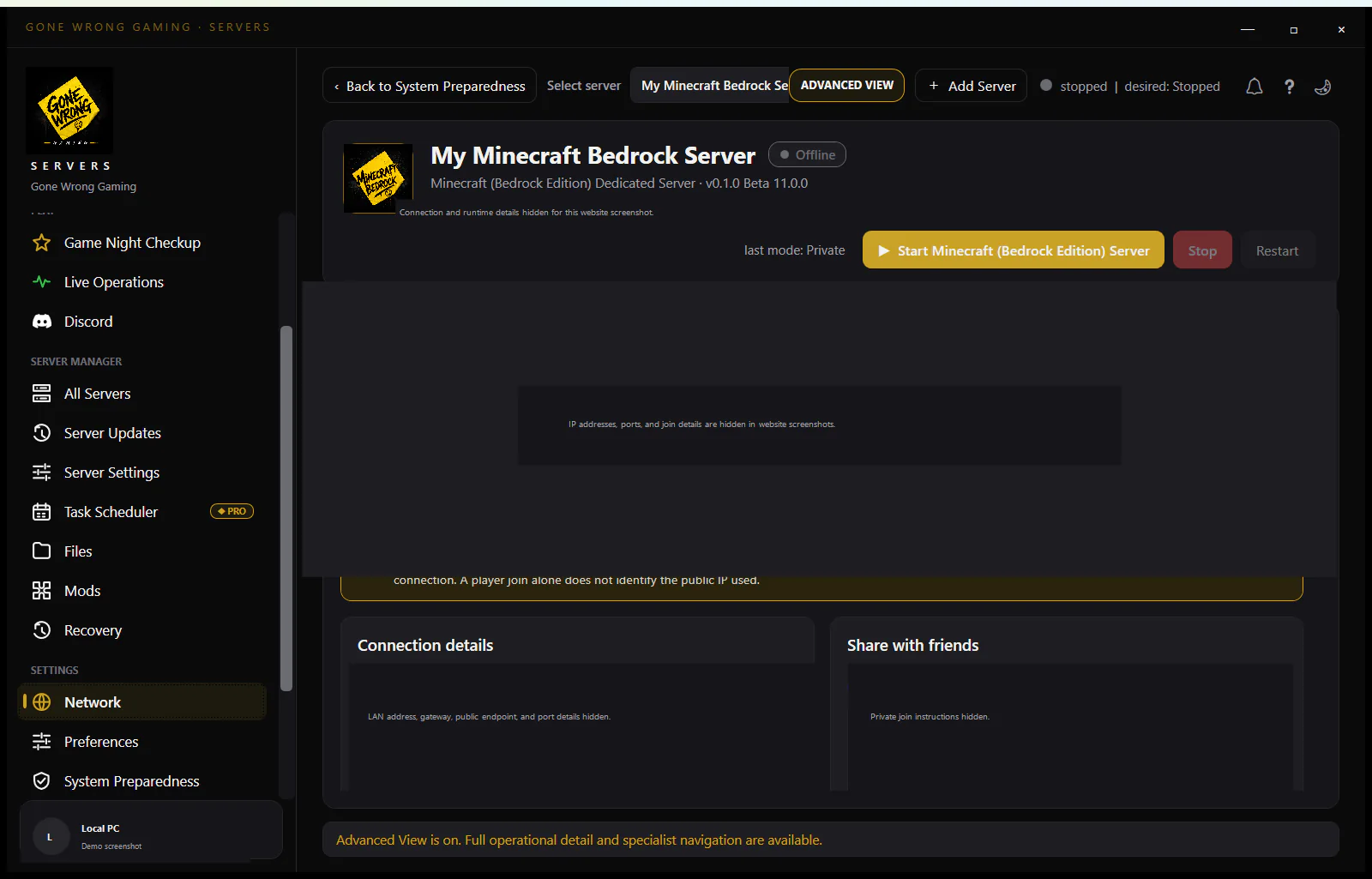 Open full size
Screen 06
Free core + Pro automationSafe server updates
Detect a newer Steam build, protect the world, update official files, and restore the prior run state.
Checking and applying updates manually are included in Free. Scheduled automatic updates are Pro automation.
Free core + Pro automation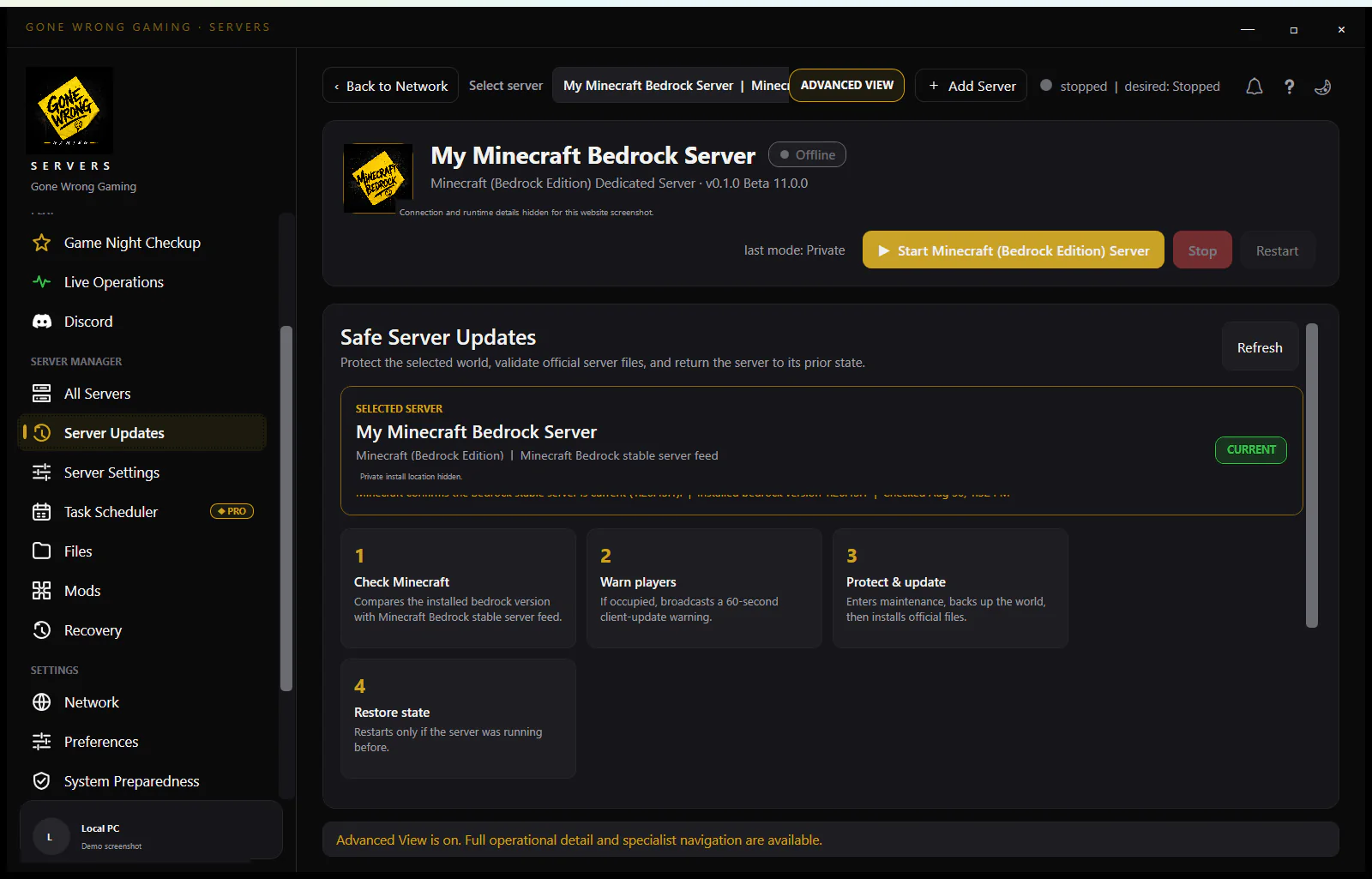 Open full size
Screen 07
Included in FreeProgram preferences
Choose interface detail, Windows startup behavior, hosting setup, and connection-check timing.
Program preferences and manual controls are available to everyone.
Included in Free Open full size
Screen 08
Included in FreeDiscord community
Open the community from inside the app when you need setup help or want to report a beta issue.
Community and support links are available to everyone.
Included in Free Open full size
Screen 09
Included in FreeAbout Gone Wrong Gaming
See why the product exists, what it promises, and where to contact support.
Brand, support, and product information is available to everyone.
Included in Free Open full size
Part 3
Advanced tools when you want them
Advanced View opens operational detail without changing the selected server or its settings.
Screen 01
Free core + Pro automationAdvanced overview
See health learning, resource use, Guardian protection, and the reasons behind each recommendation.
Advanced status and manual controls are included in Free. Guardian health automation is Pro.
Free core + Pro automation Open full size
Screen 02
Included in FreeLive Operations
Monitor the running server, player presence, and manual world controls from one focused page.
Live status, player visibility, and manual server controls are included in Free.
Included in Free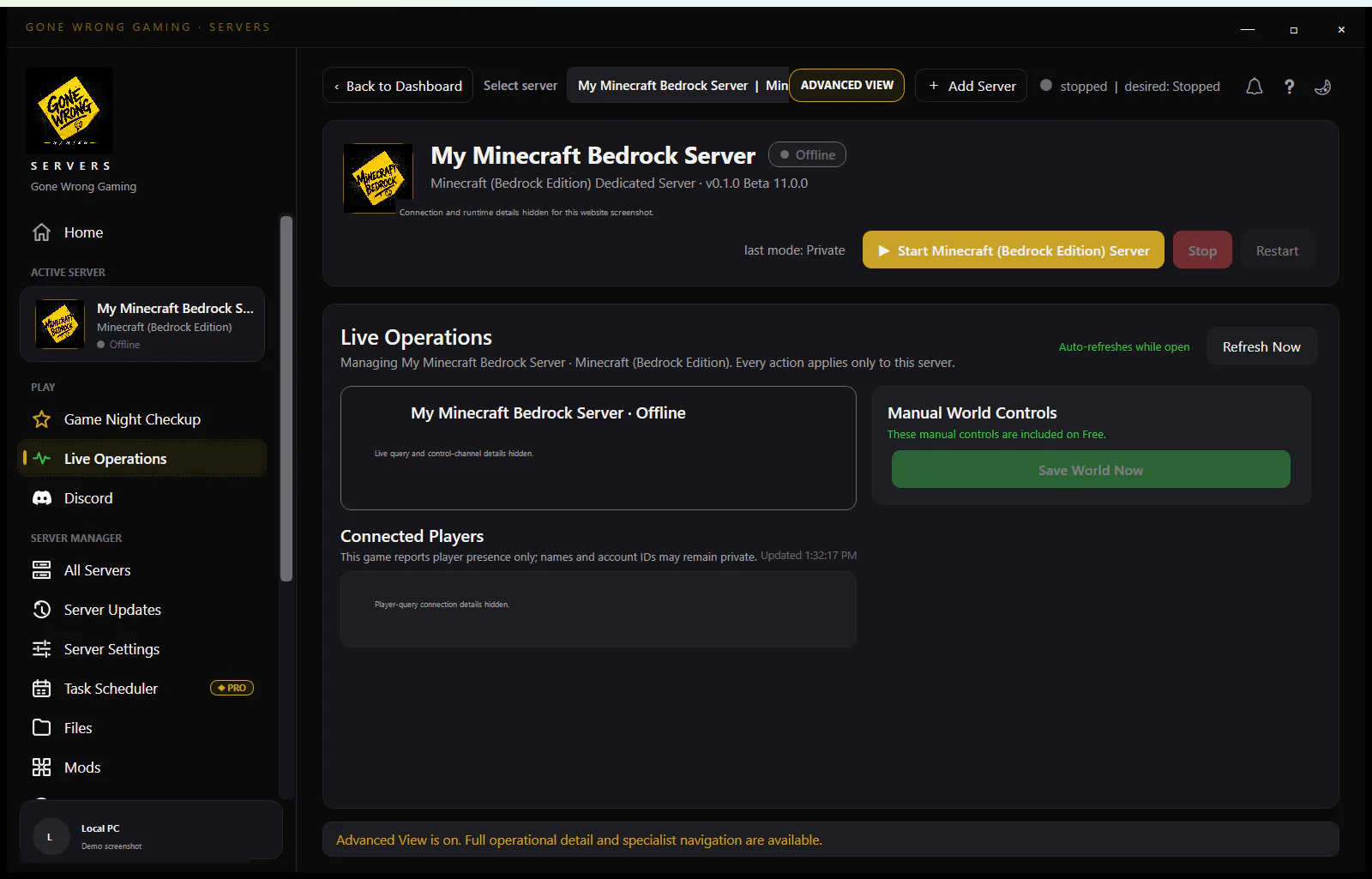 Open full size
Screen 03
Included in FreeAll settings, when you need them
Switch from guided controls to the complete reviewed native-settings surface without opening a legacy raw-config page.
The complete supported settings surface is included in Free.
Included in Free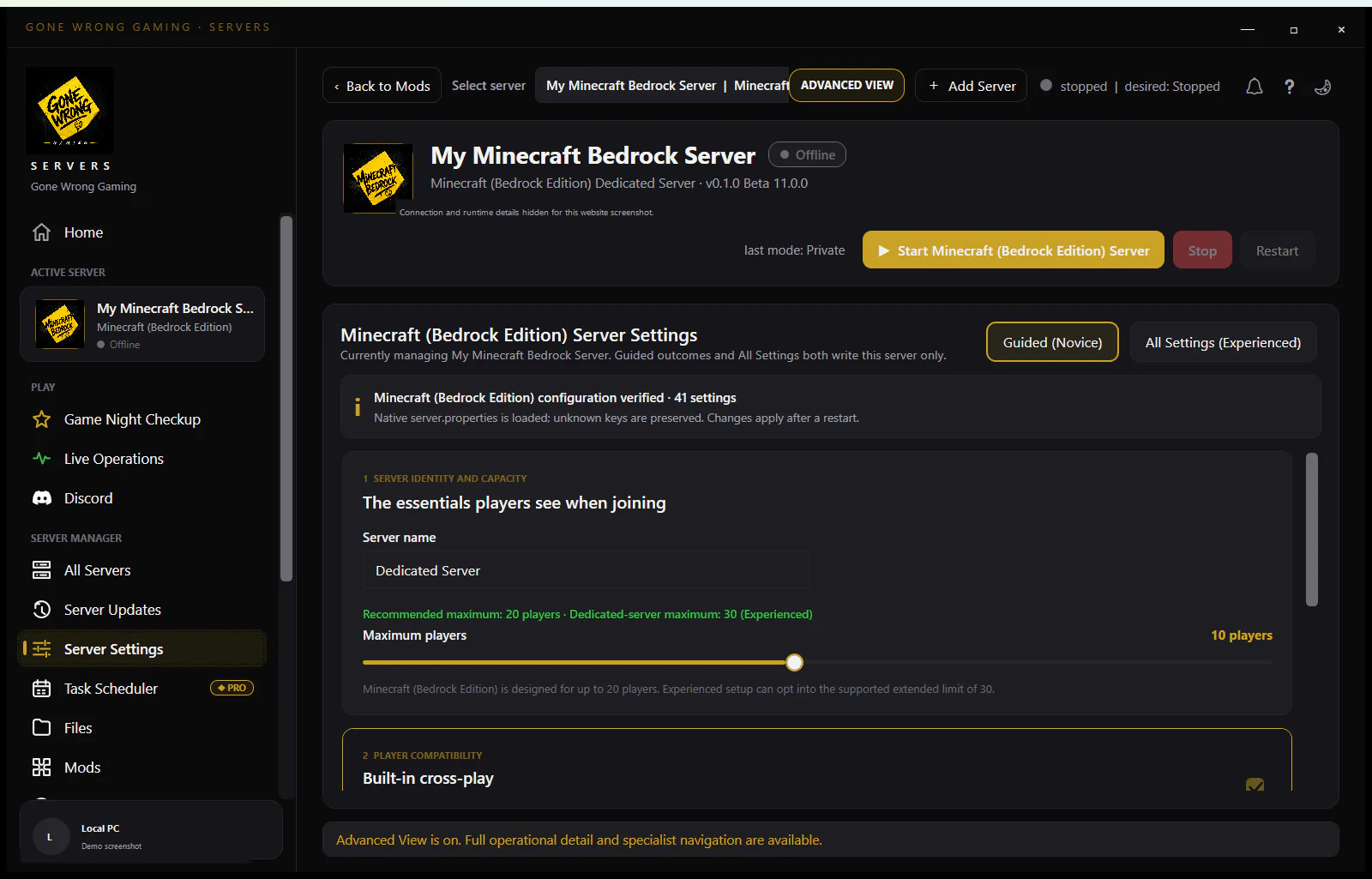 Open full size
Screen 04
Included in FreeProtected server files
Browse managed configuration, world, log, mod, backup, and recovery files while credentials and protected data remain guarded.
Protected file browsing and supported edits are included in Free.
Included in Free Open full size
Screen 05
Pro automationTask Scheduler
Create recurring backups, restarts, messages, and safe update windows for the selected server.
Background schedules and automatic update monitoring are Pro automation.
Pro automation Open full size
Screen 06
Included in FreeGame-aware mod support
The app exposes managed mods only where the selected game has a reviewed mod workflow and explains when it does not.
Supported manual mod management is included in Free.
Included in Free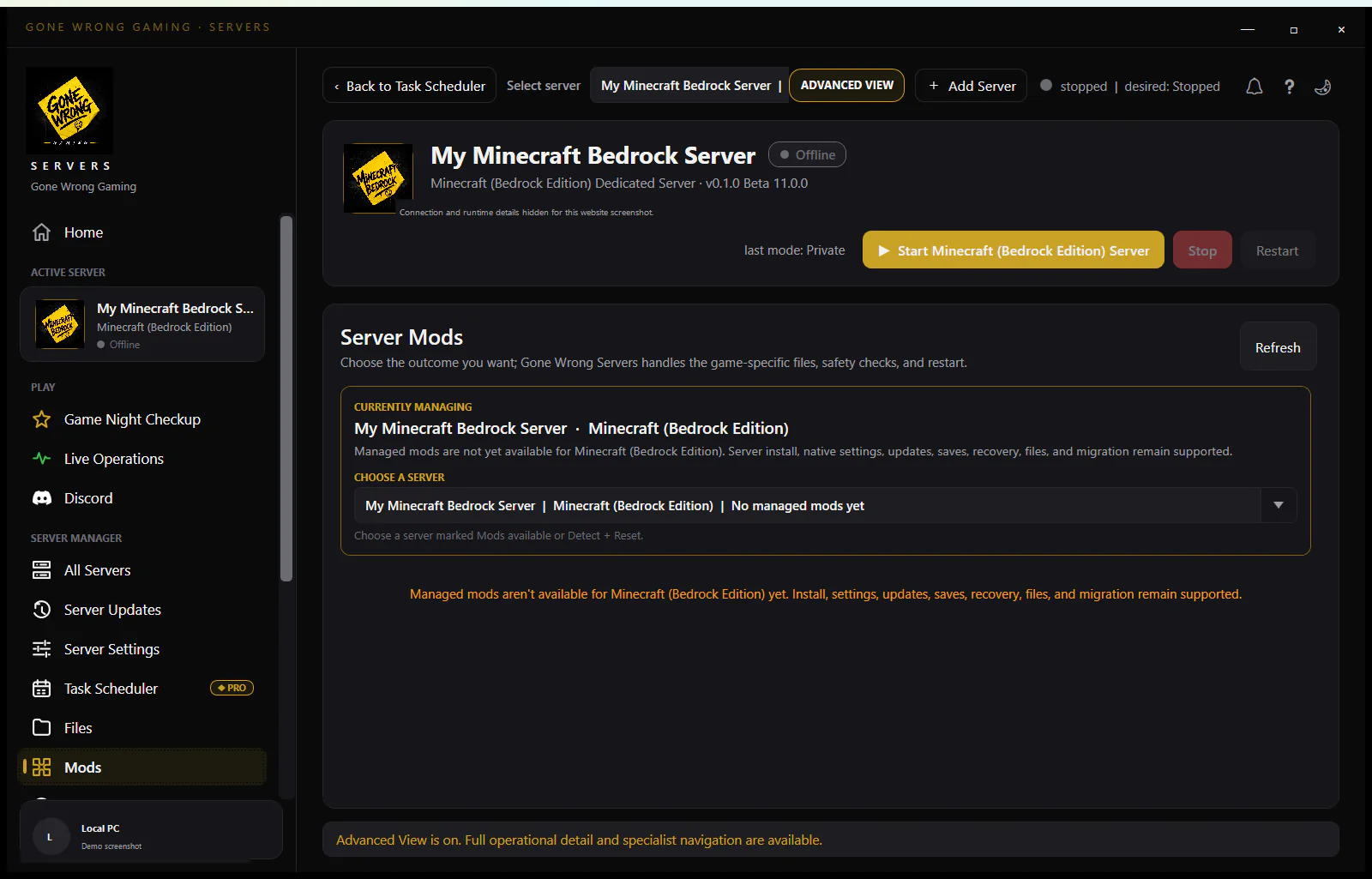 Open full size
Ready when you are
The simple view is the starting line, not a stripped-down product
Free lets you install, configure, connect, update, recover, and manually operate a server. Pro adds Guardian and automation when you want the server to look after itself.